Do you know that a single server rack can consume up to 15,000 watts? Now imagine a room full of them. Without proper HVAC, you’re risking overheating, downtime, and costly damage.
I’ve seen it happen, fried servers, lost data, and thousands in avoidable losses. That’s why I always say: your cooling system is just as important as your cybersecurity. Whether you’re planning a new build or upgrading existing infrastructure, investing in specialized commercial HVAC services in Houston is essential.
In this guide, I’ll show you what actually works when it comes to HVAC for data centers and server rooms, so you can keep your equipment safe and your operations running smoothly.
Key Takeaways
- Server rooms generate extreme heat that demands precise HVAC design.
- Poor cooling leads to physical server damage and costly downtime.
- Redundancy, airflow management, and humidity control are vital.
- HVAC systems must scale with IT loads and be proactively monitored.
- Smart planning protects uptime, hardware, and long-term ROI.
8 Essential HVAC Considerations For Server Rooms And Data Centers
While looking for HVAC systems for businesses, there are a few key considerations you should know about. Let’s see what they are:
1. Tailoring Solutions To IT Environments
When it comes to cooling data centers or server rooms, not all HVAC systems are up for the job. I’ve seen companies try to make do with standard air conditioners, and trust me, it never ends well. Precision cooling makes all the difference. Here’s how:
CRA And CRAH Units
Let’s start with CRAC (Computer Room Air Conditioning) and CRAH (Computer Room Air Handling) units. They’re built to keep temperature and humidity exactly where they need to be all day, every day. CRAC units use refrigerant-based cooling, while CRAH units work with chilled water. I’ve found that for large data rooms, CRAH systems paired with a chilled water plant offer better energy efficiency over time.
In-Row And Overhead Cooling Systems
Then there’s in-row and overhead cooling. If your server racks are tightly packed and heat is building up fast, these systems can be game-changers. They deliver cool air directly to the hotspots right where it’s needed without wasting energy trying to cool the whole room. I always recommend this setup for high-density layouts, especially when rack-level precision is critical.
Liquid Cooling Technologies
If you’re running ultra-high-density equipment or planning to scale up, liquid cooling technologies are worth a serious look. I know “liquid” and “electronics” sound like a bad mix, but these setups are engineered with safety in mind. Direct-to-chip cooling and immersion cooling pull heat away from processors much faster than air ever could.
2. Optimal Temperature And Humidity Control
Keeping a data center or server room cool is only part of the job. Extreme heat, cold, dryness, or humidity can seriously damage your equipment.
Temperature Guidelines
According to ASHRAE (the gold standard in HVAC guidelines), the ideal temperature range for IT environments is 64.4°F to 80.6°F (18°C to 27°C). You don’t have to hit a single number right in the middle, but you do need to stay within that safe zone. I’ve had clients push the upper end to save on cooling costs, only to meet with overheating issues during peak loads. It’s not worth the risk.
Humidity Management
Now, humidity is where many people slip up. If the air is too dry, you run into static electricity, which can fry sensitive components. Too humid, and you get condensation, which is even worse. You want to aim for relative humidity between 40% and 60%. I’ve seen rooms where nobody paid attention to this, and the result was rusted connections and hardware failure, completely avoidable with the right system in place.
Dew Point Considerations
Dew point is one that is often ignored, but it matters. If the dew point is too high, it means there’s too much moisture in the air, and you’re at risk of condensation forming inside the equipment. It’s a total shutdown waiting to happen. A good HVAC setup will monitor dew points automatically and adjust accordingly.
3. Ensuring Continuous Operation
Here’s one thing I’ve learned from working with server rooms and data centers: your HVAC system should never be a single point of failure. Even the best cooling system can run into trouble.
Redundant System Configurations
With N+1, you have one extra backup unit for every “N” number of active units. So, if you need 3 CRAC units running, you install 4. If one fails, the others pick up the slack.
On the other hand, 2N means you’ve doubled everything. For every active unit, there’s a full backup running on a separate power supply. This setup costs more, but for critical environments, it offers the highest level of protection. I always recommend weighing both options based on how much downtime your business can afford, ideally, none.
Backup Power Solutions
Redundancy isn’t just about cooling units, it’s also about power. If your HVAC system loses power during an outage, even for a few minutes, your servers could overheat fast. That’s why uninterruptible power supplies (UPS) and backup generators are vital. A UPS bridges short outages or covers while your generator kicks in, keeping cooling systems running.
In my experience, many businesses plan server backup power but forget HVAC, and that’s a costly oversight. If cooling shuts off, servers won’t stay online for long, no matter how great your IT setup is.
4. Airflow Management And Containment Strategies
Sometimes setups with powerful cooling systems still struggle to stay within safe temperatures, simply because the air wasn’t moving the right way. That’s why managing airflow and using smart containment strategies is just as important as picking the right HVAC equipment.
Hot Aisle/Cold Aisle Configuration
Let’s start with the basics: the hot aisle/cold aisle configuration. One of the easiest and most effective changes you can make. Place server racks where cold air is pulled in from the cold aisle and hot air is expelled into the hot aisle. It keeps hot and cold air from mixing, helping your cooling system work more efficiently.
Containment Solutions
To take it a step further, containment solutions are essential. You can contain the hot or cold aisle using barriers like doors, panels, or curtains. This traps the air, preventing it from escaping and stopping thermal recirculation, where warm air re-enters the server intake, causing them to work harder. Containment improves cooling precision and can significantly reduce energy use.
Raised Floor And Overhead Plenum Systems
Another key part of good airflow design is how you deliver and return the air. I’ve worked on projects that use raised floor systems, where cool air is pushed up through perforated tiles right in front of the server racks. Others go with overhead plenum systems, where conditioned air drops down from the ceiling and hot air is pulled out above. Both approaches work. You just need to choose the one that fits your room’s layout.
5. Energy Efficiency And Sustainable Practices
Let’s be honest, cooling a data center isn’t cheap. But that doesn’t mean you have to live with sky-high energy bills. With the right strategies, you can cut energy use without sacrificing performance.
Variable Speed Drives And Economizers
One of the first upgrades I recommend is adding Variable Speed Drives (VSDs) to your HVAC system. You can easily get it done by Texas Central Air. VSDs let cooling units adjust speed based on actual demand, like cruise control for your AC. When demand drops, the system slows down, saving energy and money. Combine that with economizers that use cool outside air, and your system starts working with the weather.
Free Cooling Techniques
Free cooling helps save energy in smart ways. Airside economization uses filtered outdoor air to cool the space directly, while waterside economization uses it to chill the system’s cooling water. I’ve seen facilities in milder climates save a ton by taking advantage of these methods, though even in Houston, you can get some benefit during the cooler months.
Green Building Certifications
If you’re aiming for a more sustainable operation overall, green building certifications are an ideal guide. These certifications encourage energy-efficient HVAC design, better airflow planning, and sustainable materials. Many companies I’ve worked with found that just pursuing certification led to smarter HVAC decisions, and often big savings in the long run.
6. Advanced Monitoring And Automation
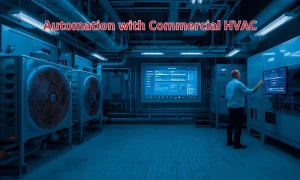
If there’s one thing I always tell business owners managing server rooms, it’s this: you can’t fix what you can’t see. That’s why real-time monitoring and automation have become non-negotiable.
Environmental Monitoring Systems
Let’s start with the basics of environmental monitoring systems. These tools track temperature, humidity, and airflow 24/7. These systems catch subtle changes long before they turn into serious issues. For example, if a CRAC unit starts underperforming, you’ll see temperature creeping up in one section of the room, long before it triggers a server shutdown.
Integration With Building Management Systems (BMS)
When you tie your HVAC system into a Building Management System (BMS), you get centralized control over all your facility’s mechanical systems. I’ve worked with businesses that use their BMS to schedule maintenance, adjust airflow based on server load, and get instant alerts when something goes wrong.
Predictive Analytics And AI
AI and predictive analytics analyze past performance data to spot patterns and predict future issues. For example, if your cooling units tend to struggle when outside humidity hits a certain level, the system can adjust in advance or flag you to make a manual tweak. I’ve seen AI even recommend system adjustments to improve energy efficiency or extend the life of your equipment. That kind of insight is powerful, especially if you’re managing a high-density data center.
7. Scalability And Future-Proofing HVAC Infrastructure
If your HVAC system can’t serve more, you’ll find yourself in a tight spot. That’s where scalability and future-proofing come into play.
Modular HVAC Solutions
Modular HVAC solutions are built to scale. Instead of overbuilding or replacing systems later, you can add capacity as your needs grow. I’ve seen companies start small and expand as their server footprint grows, saving time, money, and stress. Modern modular systems are also compact and easier to maintain, making them a smart long-term investment.
Planning For Increased Heat Loads
Along with adding more cooling, you also need to plan for increased heat loads. Newer hardware tends to pack more power into smaller spaces, meaning higher heat density. I always advise clients to build in some buffer design for today, but leave room (physically and in cooling capacity) for tomorrow’s gear. That might mean going with higher-capacity CRAC units, a stronger airflow design, or prepping your system for liquid cooling options in the future.
8. Regular Maintenance And Compliance
I’ve seen businesses invest in top-tier HVAC systems but neglect regular maintenance, leading to performance issues, rising energy costs, or even system failure when it matters most. That’s a costly mistake.
Scheduled Maintenance Plans
Routine maintenance should include filter changes, coil cleaning, refrigerant checks, sensor calibrations, and system diagnostics. I recommend setting up maintenance plans with a trusted commercial HVAC service provider who understands your data center’s critical needs.
Compliance With Industry Standards
There are several industry standards to follow for data center HVAC, including ASHRAE’s guidelines and local building codes. Staying compliant ensures your system is safe, efficient, and future-ready. Plus, it can save you from penalties or insurance issues down the road.
Emergency Preparedness
Don’t forget to have an emergency response plan for your HVAC system. Know who to call, have spare parts on hand, and ensure your team knows how to react during a system failure. Quick response can prevent a minor HVAC glitch from becoming a major business crisis.
Conclusion
Managing HVAC for data centers and server rooms takes precision, planning, and ongoing care. It’s not just about cooling, it’s about protecting your investment, ensuring uptime, and controlling costs.
If you want your servers to run smoothly, stay cool, and last longer, investing in the right HVAC solutions isn’t an option; it’s essential. Whether you need help designing a new system, upgrading your current setup, or scheduling maintenance, I’m here to help with expert advice and trusted local services.
FAQs
How Do I Calculate The Exact Cooling Load For My Server Room?
You’ll need to factor in total equipment wattage, room size, insulation, and heat from lighting. Consulting an HVAC engineer ensures precision.
What’s The Ideal Temperature Range For A Data Center?
The recommended range is 64°F to 80°F (18°C to 27°C), per ASHRAE guidelines; going outside this range can shorten hardware lifespan.
Do I Need A Separate HVAC System For My Server Room?
Yes, standard building HVAC isn’t designed for 24/7 operation or the precise cooling needed for server rooms.
How Often Should I Schedule HVAC Maintenance For A Data Center?
At a minimum, quarterly inspections with monthly filter checks. High-load facilities may need more frequent visits and sensor calibrations.
What Happens If My HVAC System Fails And There’s No Backup?
Without redundancy, server temperatures can spike in minutes, leading to thermal shutdowns, data loss, and permanent hardware damage.